MeloNX
V2.6
MeloNX is a popular gaming emulator among iOS gamers for its smooth gameplay, beginner-friendly interface, and easy-to-use experience, and is compatible with modern iOS versions for iPhone and iPad users.
When you search for iOS gaming emulators on the internet, you might find many various options, but some have very complicated setup processes, while others do not provide stable performance on iOS devices.
For the uninitiated, iOS devices (iPhone/iPad) do not allow users to install third-party gaming apps directly, like Android devices.
If you wish to enjoy console-style gaming on your iPhone or iPad, you need to use the MeloNX gaming emulator.
All you need to do is install the MeloNX app on your device and start enjoying your favorite games without hassle.
Without any further ado, let’s get started.
What is MeloNX iOS?
Melonx is a Nintendo Switch Emulator only for iOS, based on Ryujinx written in C and Swift. It is one of the best iOS emulators designed for iPhone and iPad users who want to enjoy console-style gaming on their Apple devices.
The best thing about the Melonx iOS app is that it is compatible with iOS 15 to the current version, iOS 26. MeloNX makes switch game playble on Apple devices.
Another reason why many gamers are choosing MeloNX is its stable gaming performance.
Features
Smooth Gaming Performance
MeloNX is optimized to provide smoother gameplay and better speed on supported iOS devices.
Beginner-Friendly Interface
The app comes with a clean and simple interface that makes navigation easy even for first-time users. Even you can easily play high-level games smoothly.
Modern iOS Compatibility
Many emulators stop working after new iOS updates, but MeloNX is designed to support modern iOS v26.6/27 for better compatibility.
Controller Support
MeloNX also supports compatible gaming controllers, allowing users to enjoy a more comfortable gaming experience.
DLC & Modifications
MeloNX supports DLCs and game updates, helping them unlock extra content, access new features, and enjoy the latest version of their favorite games.
Portable Gaming Experience
With MeloNX installed on your iPhone or iPad, you can enjoy gaming anytime and anywhere without carrying extra gaming hardware.
MeloNX System Requirement
To use Melonx first, you need a compatible iOS device, and below I mentioned the system requirements ;
iPhone
1. Recommended: iPhone 15 Pro+ (8/12GB RAM both have the same memory limit of 6GB)
2. Lowest Compatible (Paid Dev Account): iPhone 6s (iOS 15)
3. Lowest Compatible (Free Developer Account): iPhone 12
iPad
1. Recommended: iPad Pro 5th+ 128GB+ (8GB RAM) / 1TB+ (16GB RAM) or iPad Air 5+ (8GB RAM)
Download MeloNX & Entitlement App
Download the MelonX IPA file from here, and you will also get a lower version of MelonX
How to Install MeloNX
Downloading & Installing MeloNX might be difficult for many users, and many people can’t complete this task without a guide. If you follow the proper steps written below, in a couple of minutes, you will be able to install it on your iPhone & iPad device.
Requirements: Altstore (to sideload MeloNX), Entitlement App (Get More Ram), Apple Dev ID, Encryption Keys & Firmware, StikDebug (For Jit)
- First, download the MelonX IPA & Entitlement app file.
- Open Altstore, select the “My Apps” tab option, then tap the “+” button.
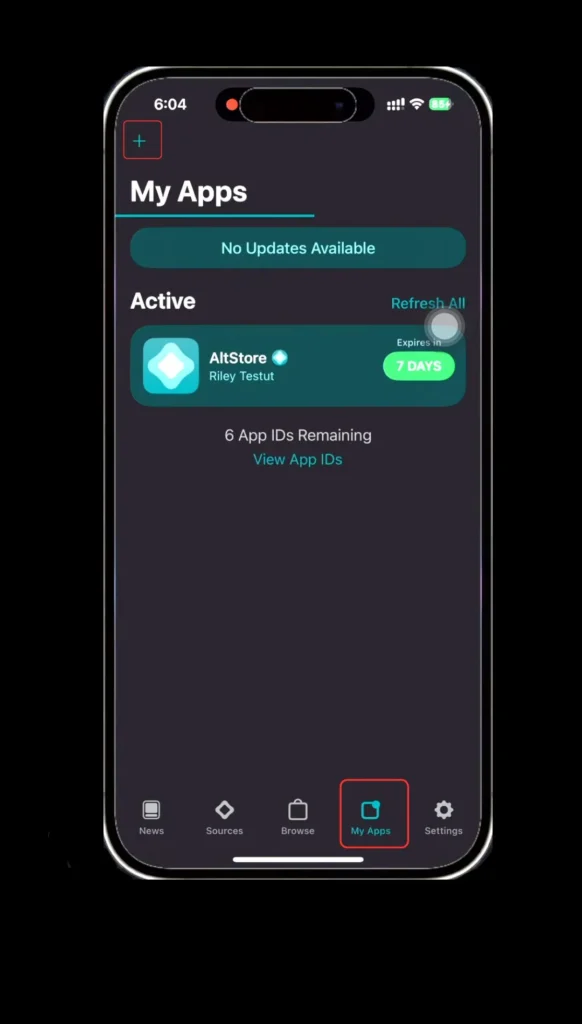
- Now select the “MeloNX IPA” file & wait a few minutes.
- Once the file is installed, you will see the MeloNX App.
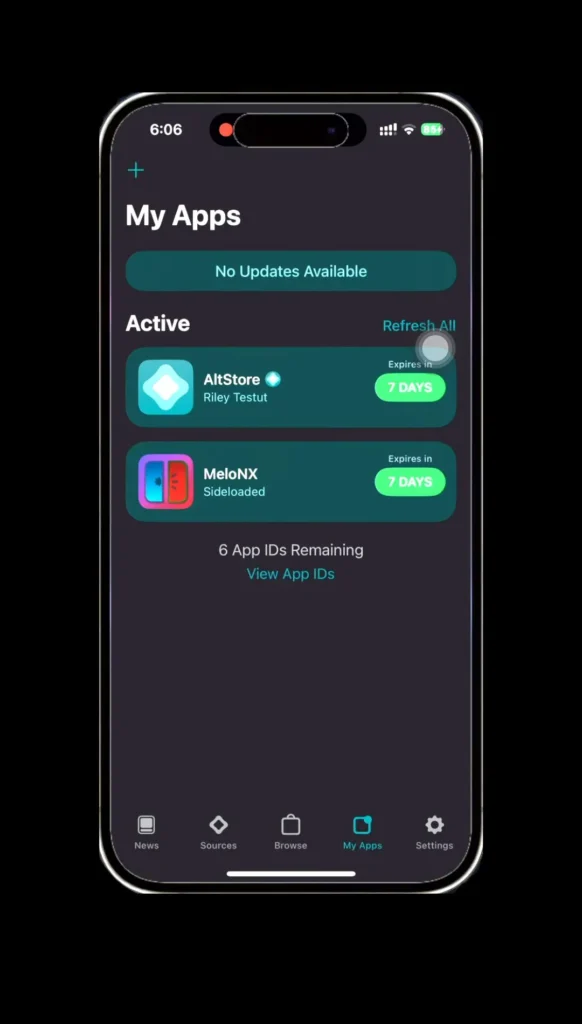
- Again, go to the Altstore app, > “My Apps” > “+” button.
- Now select the “Entitlement App (Get More Ram)” and wait a few times to install.
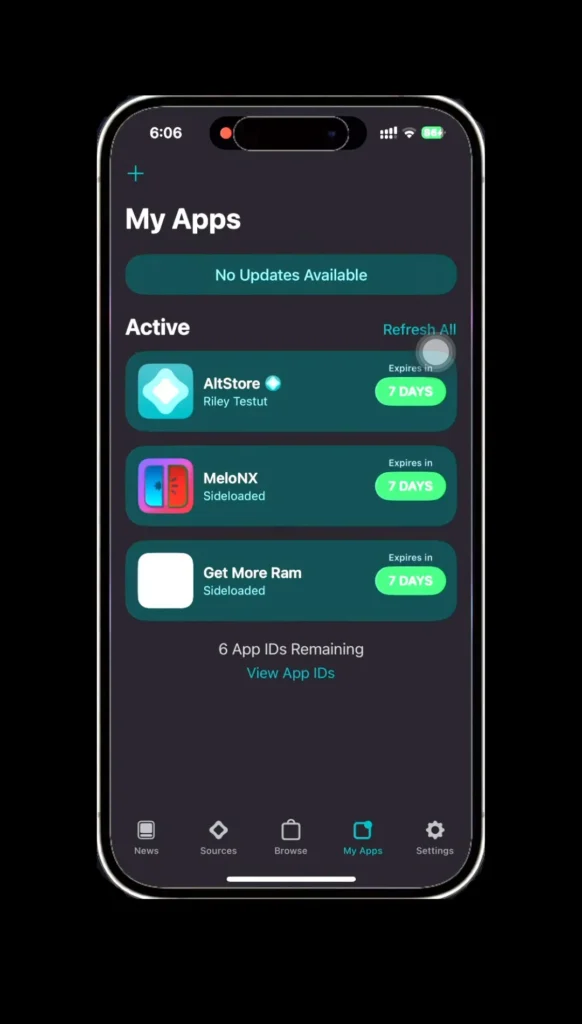
- Open the “Entitlement app (Get More Ram)” & sign in with your Apple ID.
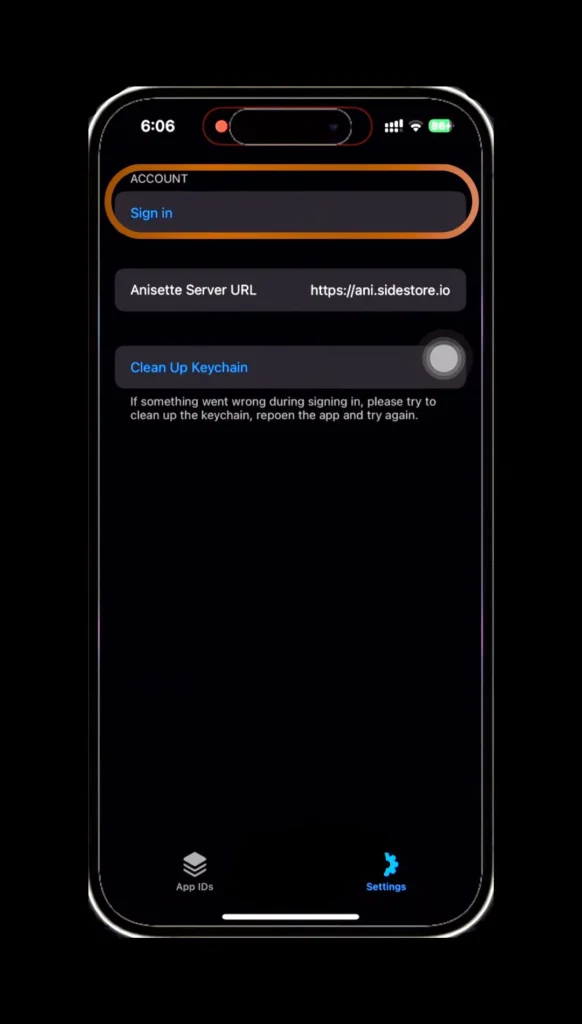
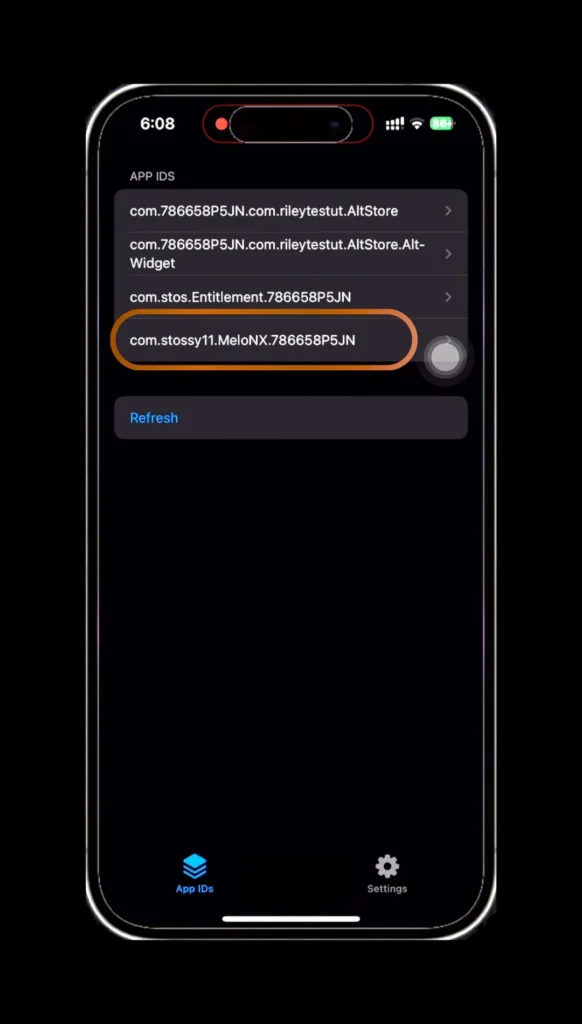
- Once you complete the task, click Refresh on the App tab.
- Find app id like this (com.stossy11.MeloNX.XXXXXX”) then click on it.
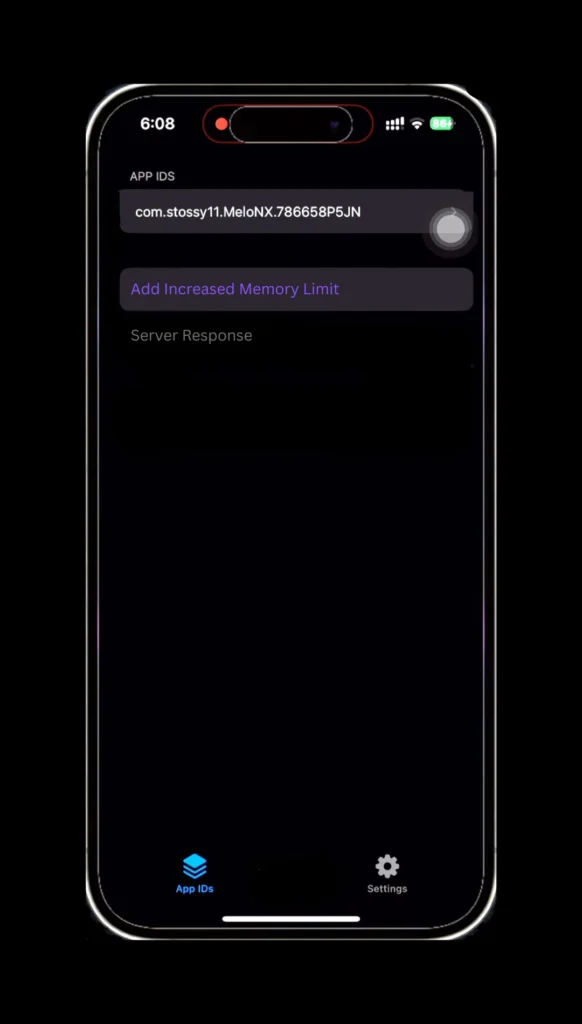
- Now click “Add Increased Memory Limit” & wait a few seconds.
- Now, delete the MeloNX app & again install it using altsore.
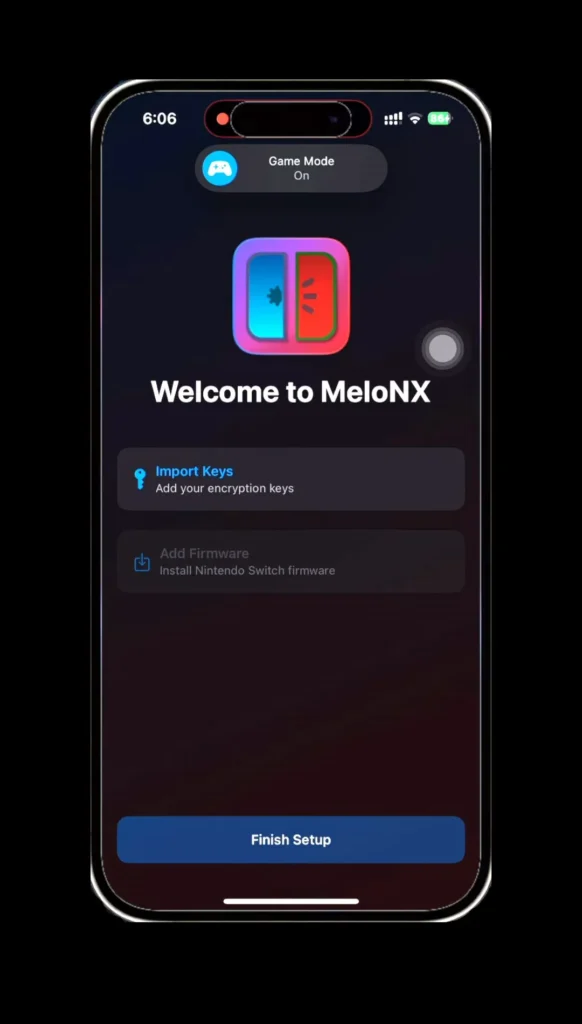
- Open the app, add the encryption keys first, then firmware.
- It’s time to install Jit using stikdebug.
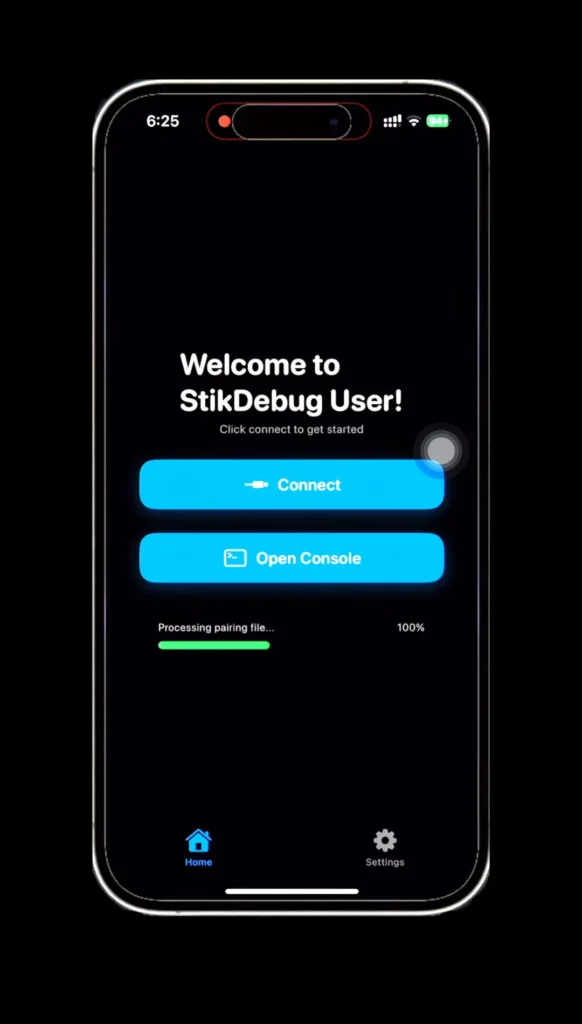
- Hurrah! You complete the full task.
After a successful installation, you are ready to go play games like Tomadachi Life: Living the Dream, Prince of Persia: The Lost Crown, Hollow Knight, and many more. If you face any installation problems or the app doesn’t work properly, feel free to contact us. We are try to solve your problem. Thank You.
MelonX Game Compatibility List
MelonX is compatible with many popular titles such as The Legend of Zelda: Breath of the Wild, Pokémon Legends: Arceus, Super Mario Odyssey, Mario Kart 8 Deluxe, Kirby and the Forgotten Land, Animal Crossing: New Horizons, Splatoon 3, Metroid Prime Remastered & more. Through regular updates, melonx is expanding the compatibility list every month.
The compatibility depends based on your device’s RAM. Below, we will share a list with details on Recommended RAM & Game Status.
| Popular Games | Game Status | Recommended Ram |
|---|---|---|
| Tomodachi Life: Living The Dream | Perfect | 8 Gb |
| Pokémon™ Scarlet | Perfect | 8 Gb |
| Pokémon™ Violet | Perfect | 8 Gb |
| Super Mario Odyssey | Perfect | 8 Gb |
| Celeste | Perfect | 4 Gb |
| Pokémon Legends: Arceus | Playble | 6 Gb |
| Splatoon 3 | Playble | 6 Gb |
| Sonic Superstars | Playble | 6 Gb |
| Hollow Knight | Perfect | 6 Gb |
Faq
Is MeloNX Safe?
Yes, MeloNX is completely safe to use unless you are doing any illegal activity. If you use it fairly, you will not regret it.
Is MeloNX Emulator Good to Use?
Yes, currently it is one of the best iOS emulators among others. It’s good for its performance, simplicity, & console style gaming.
Where can I get Melonx Keys & Firmware?
Melonx is primarily based on Ryunix. To get the keys & firmware, first install Ryunix on your pc then you can get its keys & firmware. Remember, keys & firmware are completely free.
How to Set Up MeloNx on iOS?
Just download the Melonx and follow each & every step and enjoy. Also, follow the same steps for your iPad.
MeloNX Compatible Gaming List.
You can play multiple games on this emulator, like Tomodachi: Living the Dream, Pokémon, Red Dead Redemption, and many more.
How to Enable Jit on MeloNX?
Jit enable is the most important part to use MelonX. Just install StikDebug on your device and follow the proper steps, and you’re done.